

How to Automate Your Online Business (Email, Social Media & CRM)

Running an online business is exciting, but it can also become overwhelming very quickly. As your customer base grows, so do the daily responsibilities. Answering emails, posting on social media, following up with leads, managing customer data, and handling routine tasks can consume hours every day.
Table Of Content
- Why Business Automation Matters
- Step 1: Automate Your Email Marketing
- Create a Welcome Email Sequence
- Automate Lead Nurturing
- Recover Abandoned Carts
- Segment Your Audience
- Step 2: Automate Your Social Media Marketing
- Schedule Content in Advance
- Repurpose Content Automatically
- Monitor Brand Mentions
- Automate Engagement Carefully
- Step 3: Automate Your CRM System
- Automatically Capture Leads
- Assign Leads Automatically
- Set Automated Follow-Up Reminders
- Track Customer Journeys
- Integrating Email, Social Media, and CRM
- Common Automation Mistakes to Avoid
- Over-Automating Customer Interactions
- Ignoring Personalization
- Failing to Review Workflows
- Using Too Many Tools
- Best Automation Areas for Small Businesses
- The Future of Business Automation
- Final Thoughts
Many entrepreneurs start their businesses with passion and creativity, but eventually find themselves trapped in repetitive work. Instead of focusing on growth, innovation, and customer experience, they spend their time performing tasks that could easily be automated.
Business automation is no longer a luxury reserved for large corporations. Today, affordable and user-friendly tools allow small businesses, freelancers, startups, and eCommerce stores to automate a significant portion of their operations.
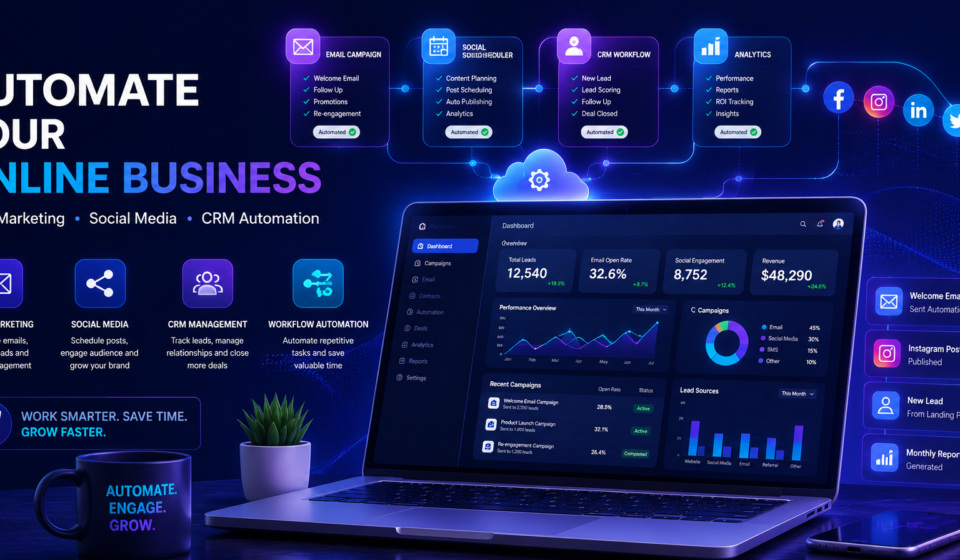
In this guide, you’ll learn how to automate three critical areas of your online business: email marketing, social media management, and customer relationship management (CRM). By implementing the right systems, you can save time, increase efficiency, improve customer engagement, and create a business that grows without requiring your constant attention.
Why Business Automation Matters
Automation is the process of using software and technology to complete repetitive tasks with minimal human involvement.
Think about how much time you spend every week on activities such as:
- Sending welcome emails
- Following up with potential customers
- Posting on social media
- Updating customer records
- Scheduling appointments
- Tracking sales leads
- Responding to common inquiries
These tasks are important, but they don’t always require your direct involvement.
Automation allows you to:
- Save valuable time
- Reduce human errors
- Improve customer experience
- Increase productivity
- Generate more leads
- Boost sales conversions
- Scale your business faster
Most importantly, automation gives you the freedom to focus on strategic decisions rather than routine administration.
Step 1: Automate Your Email Marketing
Email remains one of the highest-performing marketing channels available today. However, manually sending emails to every subscriber is neither practical nor efficient.
Email automation enables you to deliver personalized messages automatically based on customer behavior and actions.
Create a Welcome Email Sequence
The first impression matters.
When someone subscribes to your newsletter or joins your email list, an automated welcome sequence can immediately introduce your brand and build trust.
A simple welcome sequence might include:
Email 1: Welcome and introduction
Email 2: Share your story and mission
Email 3: Highlight your products or services
Email 4: Provide valuable resources or tips
Email 5: Present a special offer
This sequence works 24/7, nurturing new subscribers even while you sleep.
Automate Lead Nurturing
Not every visitor is ready to buy immediately.
Automated lead nurturing campaigns keep your business in front of potential customers by delivering relevant content over time.
Examples include:
- Educational content
- Industry insights
- Product tutorials
- Customer success stories
- Exclusive promotions
These emails help move prospects through the buying journey naturally.
Recover Abandoned Carts
For eCommerce businesses, abandoned cart automation can significantly increase revenue.
When a customer adds products to their cart but leaves without purchasing, an automated email can remind them to complete the transaction.
Many businesses recover a considerable percentage of lost sales using simple abandoned cart workflows.
Segment Your Audience
One of the biggest mistakes businesses make is sending the same email to everyone.
Automation tools allow you to segment subscribers based on:
- Interests
- Purchase history
- Location
- Website activity
- Customer lifecycle stage
The more relevant your emails are, the higher your engagement and conversion rates will be.
Step 2: Automate Your Social Media Marketing
Maintaining an active social media presence is essential, but constantly posting content can become exhausting.
Fortunately, automation tools make it possible to manage multiple platforms efficiently.
Schedule Content in Advance
Instead of posting daily, dedicate one day each week to creating and scheduling content.
You can prepare:
- Educational posts
- Promotional content
- Customer testimonials
- Industry updates
- Behind-the-scenes content
Scheduling ensures consistency, which is one of the most important factors for social media growth.
Repurpose Content Automatically
Creating fresh content every day is challenging.
A smarter approach is content repurposing.
For example:
- Turn a blog post into multiple social media posts
- Convert customer reviews into graphics
- Transform FAQs into short videos
- Reuse evergreen content periodically
Automation tools can help distribute the same content across multiple channels while maintaining a professional appearance.
Monitor Brand Mentions
Customers frequently discuss businesses online without directly tagging them.
Social media monitoring tools can automatically track:
- Brand mentions
- Product mentions
- Industry keywords
- Competitor conversations
This helps you respond quickly and identify opportunities for engagement.
Automate Engagement Carefully
Automation should support genuine relationships, not replace them.
While automated responses can handle basic inquiries, meaningful customer interactions should still receive personal attention.
The goal is to eliminate repetitive work while preserving authentic communication.
Step 3: Automate Your CRM System
A CRM (Customer Relationship Management) system serves as the central hub for managing customer information, sales activities, and business relationships.
Without automation, CRM management can quickly become messy and time-consuming.
Automatically Capture Leads
Every lead generated from your:
- Website forms
- Landing pages
- Social media campaigns
- Email campaigns
- Online advertisements
should automatically enter your CRM.
This eliminates manual data entry and ensures no opportunities are missed.
Assign Leads Automatically
As your business grows, manually distributing leads becomes inefficient.
CRM automation can automatically assign leads based on:
- Geographic location
- Product interest
- Industry type
- Team member availability
This creates a faster and more organized sales process.
Set Automated Follow-Up Reminders
Research consistently shows that timely follow-up dramatically improves conversion rates.
CRM automation can:
- Send reminders
- Schedule follow-up emails
- Create tasks for sales representatives
- Track customer interactions
This ensures every lead receives proper attention.
Track Customer Journeys
Modern CRM systems allow businesses to track customer behavior across multiple touchpoints.
You can monitor:
- Website visits
- Email opens
- Link clicks
- Purchases
- Support requests
This information helps create more personalized customer experiences.
Integrating Email, Social Media, and CRM
The real power of automation appears when all systems work together.
Imagine this scenario:
A visitor downloads a free guide from your website.
Automatically:
- Their information enters your CRM.
- A welcome email sequence begins.
- Their activity is tracked.
- They receive targeted content.
- Sales notifications are triggered when engagement increases.
- Personalized offers are sent based on behavior.
This entire process can happen without manual intervention.
The result is a seamless customer experience and a more efficient business operation.
Common Automation Mistakes to Avoid
Automation is powerful, but poor implementation can create problems.
Over-Automating Customer Interactions
Customers still value human connection.
Avoid replacing every interaction with automated responses. Use automation to support relationships, not eliminate them.
Ignoring Personalization
Generic automation often feels robotic.
Use customer data to personalize emails, offers, and communications whenever possible.
Failing to Review Workflows
Automation is not a “set it and forget it” solution.
Regularly review:
- Email performance
- CRM workflows
- Lead conversion rates
- Social media engagement
Continuous optimization improves long-term results.
Using Too Many Tools
Many businesses accumulate numerous disconnected software solutions.
Instead, focus on a smaller collection of tools that integrate well and support your specific goals.
Best Automation Areas for Small Businesses
If you’re just getting started, prioritize these high-impact automations:
- Welcome email sequences
- Lead capture forms
- Social media scheduling
- Customer follow-up emails
- Appointment booking
- CRM lead tracking
- Customer support FAQs
These automations provide immediate benefits while requiring relatively little setup.
The Future of Business Automation
Artificial intelligence is making automation smarter than ever before.
Modern tools can now:
- Generate content ideas
- Predict customer behavior
- Personalize marketing campaigns
- Analyze customer sentiment
- Automate customer support
- Optimize sales processes
Businesses that adopt automation early gain a significant competitive advantage by operating more efficiently and serving customers more effectively.
Final Thoughts
Automation is not about removing the human element from your business. It is about eliminating repetitive tasks so you can focus on what truly matters—building relationships, creating value, and growing your brand.
By automating your email marketing, social media management, and CRM processes, you create a business that works smarter rather than harder. You save time, reduce stress, improve customer experiences, and establish systems that can scale as your company grows.
Start small. Automate one process at a time. Measure the results, refine your workflows, and gradually expand your automation strategy.
The businesses that thrive in today’s digital landscape are not necessarily the ones working the hardest. They are often the ones using technology strategically to maximize efficiency while maintaining meaningful connections with their customers.
Your time is one of your most valuable assets. Automation helps you protect it, leverage it, and use it where it creates the greatest impact.