

How to Create a Stunning Digital Visiting Card in 10 Minutes (Step-by-Step)

Introduction : Your 10-Minute Digital Identity Upgrade
Let’s be honest—traditional visiting cards are fading out.
Table Of Content
- Introduction : Your 10-Minute Digital Identity Upgrade
- 🧠 What Is a Digital Visiting Card?
- ⚡ Why You Should Switch Today
- ⏱️ Step 1: Choose the Right Platform (1 Minute)
- 🎨 Step 2: Pick a Clean & Modern Template (1 Minute)
- ✍️ Step 3: Add Your Basic Details (2 Minutes)
- 🔗 Step 4: Add Clickable Action Buttons (2 Minutes)
- 🖼️ Step 5: Upload Logo & Profile Image (1 Minute)
- 🌐 Step 6: Add Social & Portfolio Links (1 Minute)
- 🎥 Step 7: Add a Personal Touch (Optional but Powerful) (1 Minute)
- 📲 Step 8: Generate QR Code & Share (1 Minute)
- 💡 Keep It Minimal
- 🎨 Use Brand Colors
- ⚡ Optimize Speed
- 📱 Mobile First Design
- 🔥 Add CTA (Call-to-Action)
They get lost, forgotten, or thrown away. But today, your identity lives on screens. Whether you’re a freelancer, business owner, or creative professional, you need something fast, impressive, and instantly shareable.
That’s where a digital visiting card comes in.
And the best part? You don’t need design skills, coding knowledge, or hours of effort.
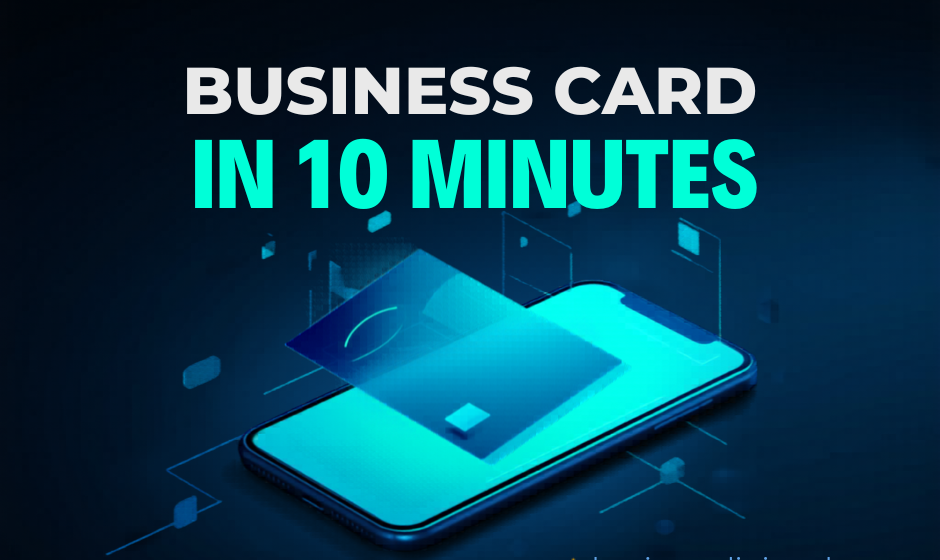
In this guide, I’ll show you how to create a stunning digital visiting card in just 10 minutes—step by step.
🧠 What Is a Digital Visiting Card?
A digital visiting card is an online version of your business card that can include:
- Your name and contact details
- Website and social media links
- Portfolio or services
- WhatsApp and call buttons
- Images, videos, and more
It’s not just a card—it’s your mini personal website.
⚡ Why You Should Switch Today
Before we jump into steps, here’s why digital cards are dominating:
- ✅ Instant sharing via QR or link
- ✅ Always editable
- ✅ Looks modern and professional
- ✅ Saves money (no printing)
- ✅ Boosts your personal brand
Now let’s build one.
🛠️ Step-by-Step Guide (10 Minutes Setup)
⏱️ Step 1: Choose the Right Platform (1 Minute)
First, you need a tool to create your card.
Popular options include:
- Free digital card makers
- Custom websites (like your own platform 👀)
- NFC-enabled card tools
Choose a platform that:
- Is mobile-friendly
- Allows customization
- Supports links & media
💡 Pro Tip: If you’re building for clients, use your own platform to sell templates.
🎨 Step 2: Pick a Clean & Modern Template (1 Minute)
Design matters more than you think.
Choose a template that is:
- Minimal
- Easy to read
- Mobile responsive
Avoid clutter. A clean design always looks more premium.
Think of your card like a landing page—not a poster.
✍️ Step 3: Add Your Basic Details (2 Minutes)
Now fill in the essentials:
- Full Name
- Business Name
- Phone Number
- Email Address
- Location
Make sure everything is accurate.
📌 Tip: Use a professional email (not random Gmail IDs if possible).
🔗 Step 4: Add Clickable Action Buttons (2 Minutes)
This is where digital cards shine.
Add buttons like:
- 📞 Call Now
- 🌐 Visit Website
These buttons turn viewers into instant leads.
🖼️ Step 5: Upload Logo & Profile Image (1 Minute)
Visual identity builds trust.
Add:
- Your logo (for businesses)
- Your photo (for personal branding)
Make sure images are:
- High quality
- Properly cropped
- Not pixelated
🌐 Step 6: Add Social & Portfolio Links (1 Minute)
Don’t just tell—show your work.
Include:
- YouTube
- Portfolio or gallery
This helps people explore your work instantly.
🎥 Step 7: Add a Personal Touch (Optional but Powerful) (1 Minute)
Want to stand out?
Add:
- A short intro video
- A tagline or quote
- A banner image
Example:
“Turning ideas into beautiful digital experiences.”
This creates emotional connection.
📲 Step 8: Generate QR Code & Share (1 Minute)
Finally:
- Generate your QR code
- Copy your card link
- Start sharing
You can use it on:
- Instagram bio
- Email signature
- Printed materials
Now your card is live and working for you 24/7.
🎯 Bonus Tips to Make It Look Premium
If you want your card to look next-level, follow these:
💡 Keep It Minimal
Less clutter = more impact
🎨 Use Brand Colors
Stick to 2–3 colors max
⚡ Optimize Speed
Avoid heavy images
📱 Mobile First Design
Most users will open on phone
🔥 Add CTA (Call-to-Action)
Example:
👉 “Save my contact”
👉 “Book a call now”
💼 Real Use Cases
Digital visiting cards are perfect for:
- Freelancers
- Wedding invitation designers
- Real estate agents
- Salon & service businesses
- Startups & entrepreneurs
For example, if you sell wedding invitations:
- Show your designs
- Add direct order link
- Collect leads instantly
🔮 Future of Visiting Cards
In 2026 and beyond, networking is becoming:
- Faster
- Digital-first
- Experience-driven
People expect:
- Instant access
- Interactive profiles
- Easy communication
Digital visiting cards are not optional anymore—they are essential.
✅ Conclusion
Creating a stunning digital visiting card doesn’t require hours of work or technical skills.
In just 10 minutes, you can build a powerful digital identity that:
- Represents your brand
- Attracts clients
- Grows your network
The question is no longer “Should you create one?”
It’s “Why haven’t you created one yet?”